
X Browser Super Fast & mini2.4.8 - Get APK
You'll be able to download in few seconds.
Publisher Description
.
Main features for you:
★ Super Fast
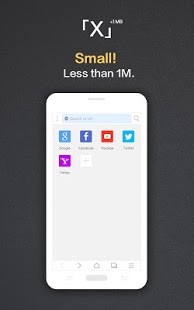
★ Tiny Size-less than 1M
★ Powerful Ad-Block
★ Intelligent Search
★ Support Download Instagram photo
★ Offline Reading
★ Few background permission requests
★ Night Mode
★
Super Fast
: Excellent optimized strategy , super fast browser as lightning.
★
Intelligent Auto-filled
:Useful for you when input website url,automatically adding Web suffixes,easy for any website visit.
★
Tiny size
:Less than 1M,X browser offers more browsing experience ,small body, powerful ability.It is mini web browser.
★
Powerful Ad-Block
: You can mark web element as AD, it will block on next time;Compatible with some ABP rules.
★
Intelligent search
: Smart recommendation, intelligent hot words - assistant input and search.
★
Humanized browsing
: Slightly pull up to enter full screen, pull down to invoke search box, very simple full screen experience.
★
Offline reading
:Keep the webpage for later reading, no worry about internet access .
★
Night Mode
:Your eye protecting is so important for us when browsing in dim light.
★
Few background permissions requests
:We request the least background permissions from your mobile among other browsers .
About X Browser Super Fast & mini
The company that develops X Browser Super Fast & mini is XMan. The latest version released by its developer is 2.4.8.
To install X Browser Super Fast & mini on your Android device, just click the green Continue To App button above to start the installation process. The app is listed on our website since 2018-01-20 and was downloaded 0 times. We have already checked if the download link is safe, however for your own protection we recommend that you scan the downloaded app with your antivirus. Your antivirus may detect the X Browser Super Fast & mini as malware as malware if the download link to com.mmbox.xbrowser.pro is broken.
How to install X Browser Super Fast & mini on your Android device:
- Click on the Continue To App button on our website. This will redirect you to Google Play.
- Once the X Browser Super Fast & mini is shown in the Google Play listing of your Android device, you can start its download and installation. Tap on the Install button located below the search bar and to the right of the app icon.
- A pop-up window with the permissions required by X Browser Super Fast & mini will be shown. Click on Accept to continue the process.
- X Browser Super Fast & mini will be downloaded onto your device, displaying a progress. Once the download completes, the installation will start and you'll get a notification after the installation is finished.
Program Details
System requirements
Download information
Pricing
Version History
version 2.4.8
posted on 2018-01-20
- Add new quick option in the main menu to set the screen rotation
- Support new option to trigger back-forward gesture at the edge of the screen.
- Add new setting option to one key to restore user data.
- Fixed issue where notification not smooth when downloading
version 1.9.1
posted on 2016-09-16
- Hot fix bugs,- The main menu support multi-screen.,- Add More short menu item , "Offline Page","PC Mode","Block Ad" etc.,- Fix The "No Image" option not work issue in sometimes.
version 1.9.1
posted on 2016-09-16
Disclaimer
External Download
We do not host X Browser Super Fast & mini on our servers. We did not scan it for viruses, adware, spyware or other type of malware. This app is hosted by Galad and passed their terms and conditions to be listed there. We recommend caution when installing it.
The APK Download link for X Browser Super Fast & mini is provided to you by apps112.com without any warranties, representations or guarantees of any kind, so access it at your own risk.
If you have questions regarding this particular app contact the publisher directly. For questions about the functionalities of apps112.com contact us.
